Logo & branding
Create a welcome that feels unmistakably yours.
Integration guide


Create thoughtful, personalized welcome letters that help guests feel expected, welcomed, and genuinely looked after from the moment they arrive.
Each property includes its first three bookings, with no credit card required.
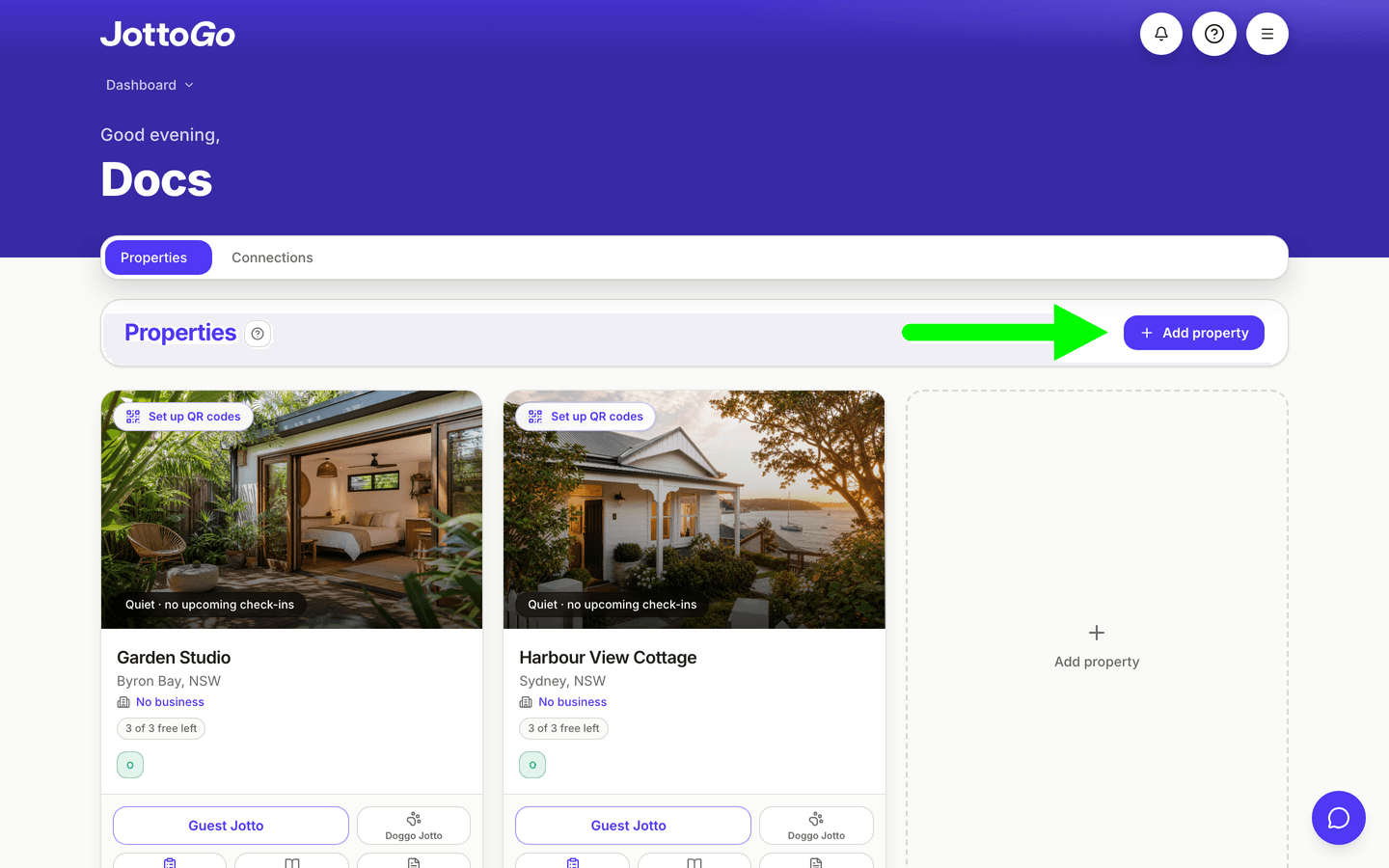
On your dashboard, tap + Add property in the Properties section. If your portfolio is empty, use the dashed Add property tile in the empty state. (Alternatively: Dashboard → Properties → Connections.)
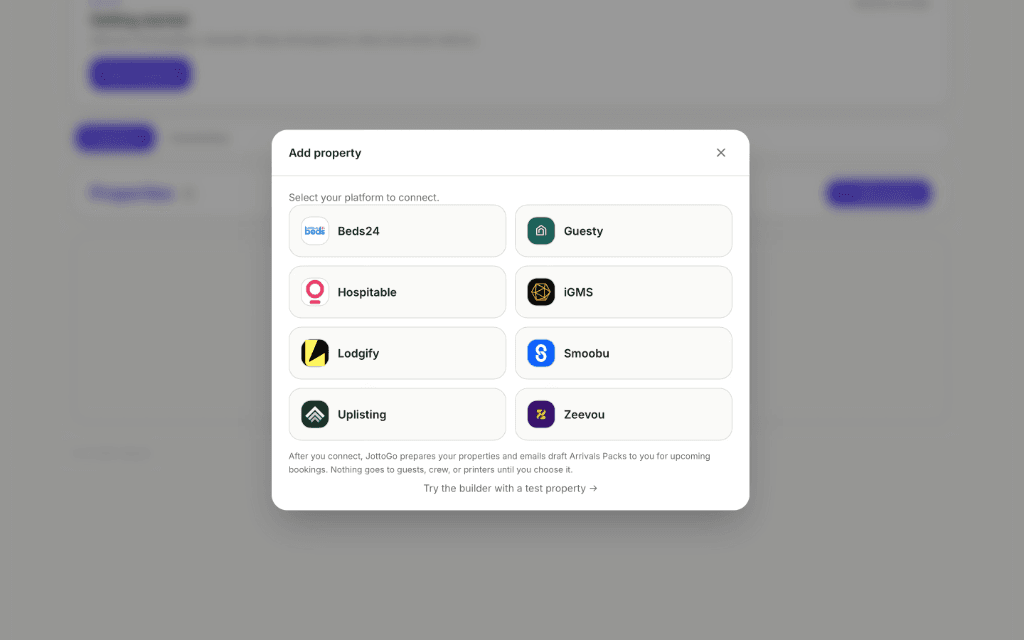
Tap the Lodgify logo.
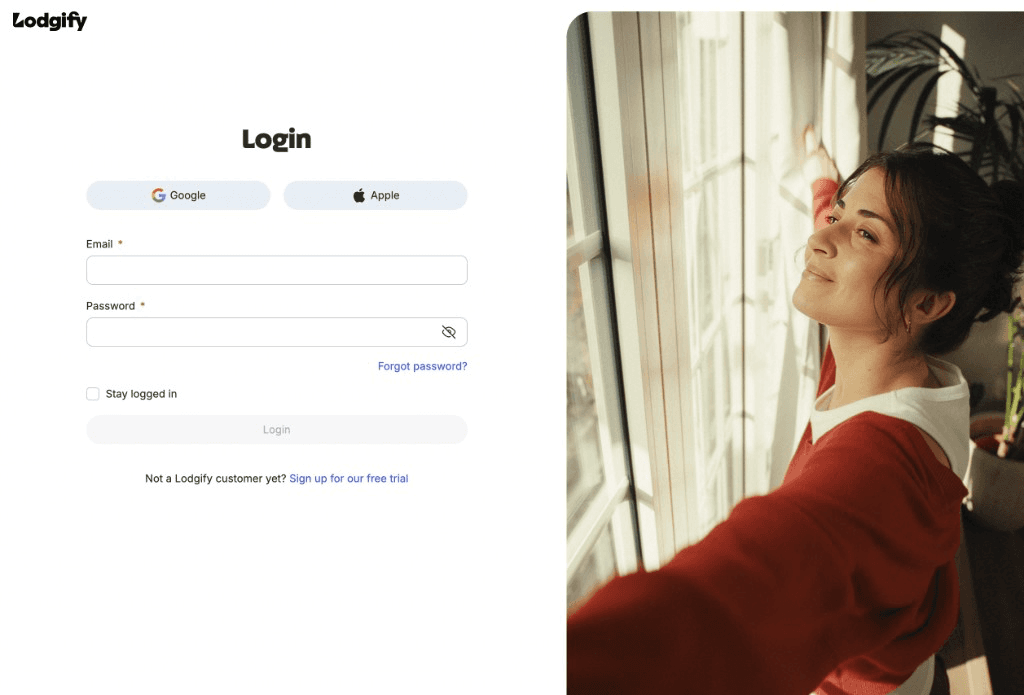
Open Lodgify in your browser and sign in with your account if you are not already logged in.
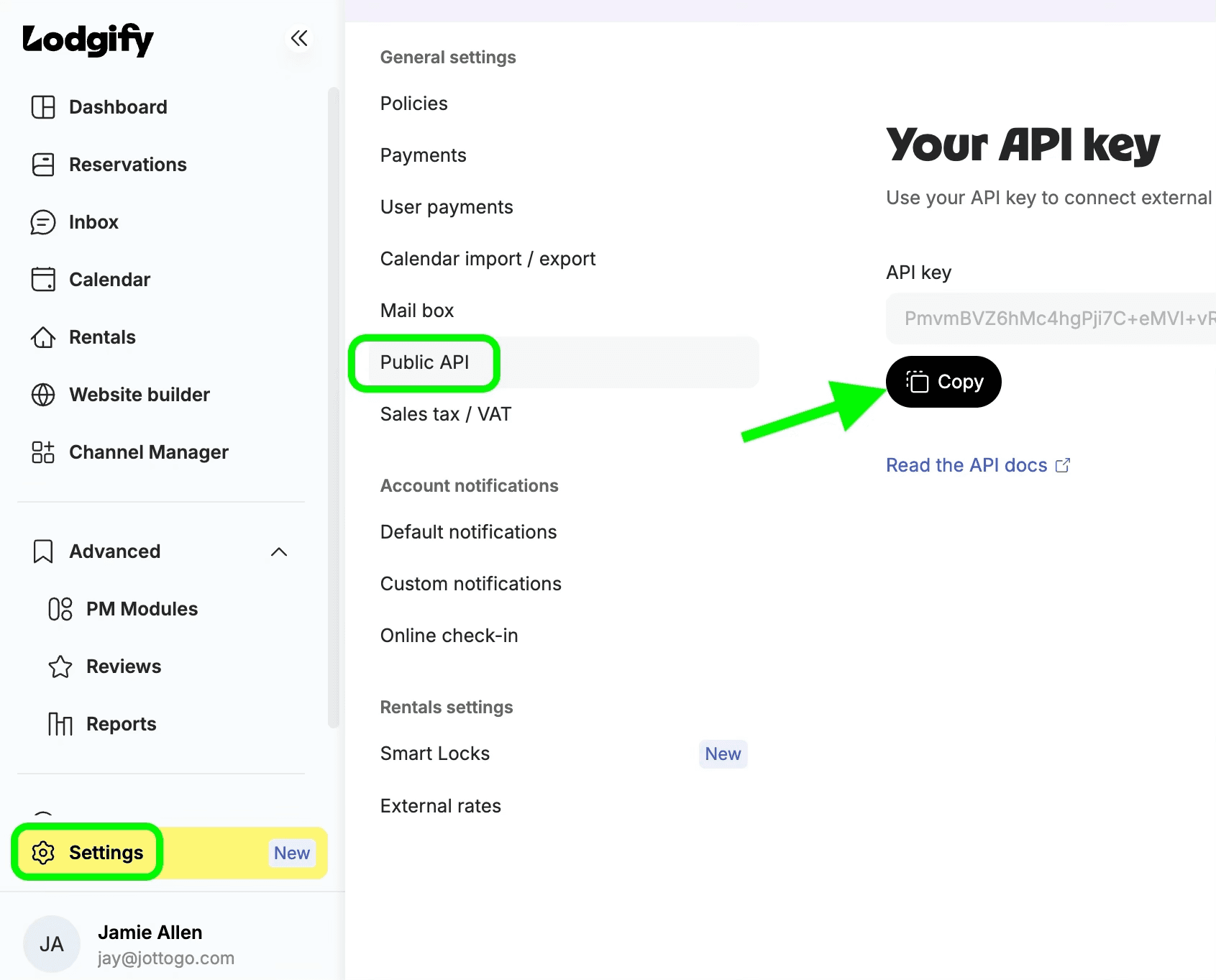
In Lodgify, open Settings → Public API, then click Copy next to your API key.
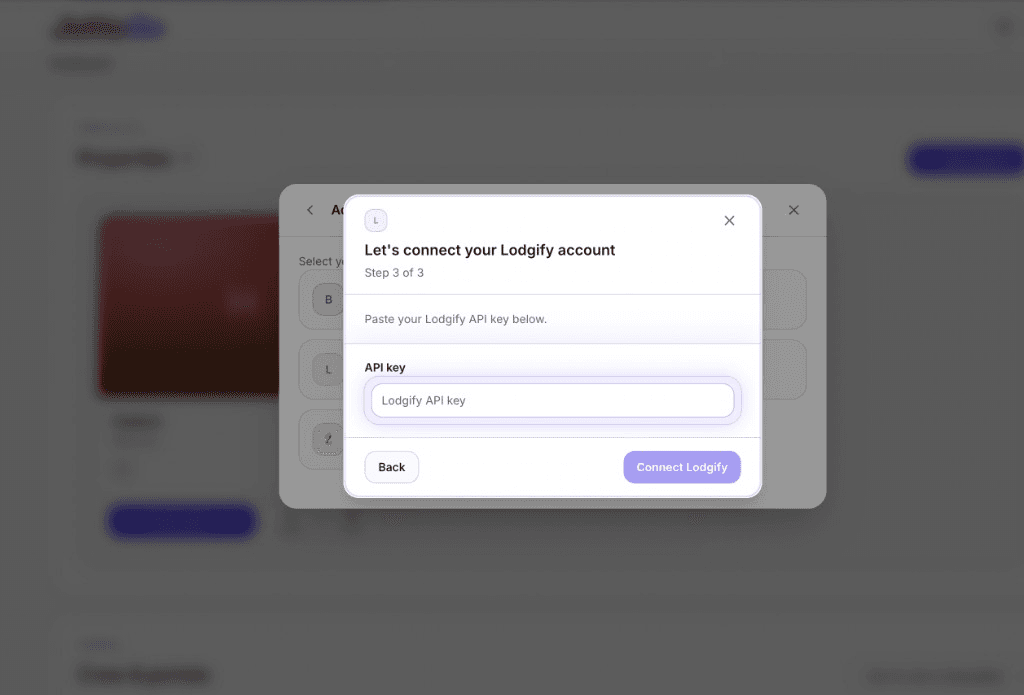
Back in JottoGo, paste your API key and tap Connect Lodgify. Choose the listings to import and tap Import on your first property.
The moment you import a property, Automatic Setup starts preparing it in the background (greeting, sign-off, delivery schedule, and safe Crew To Do defaults), built from the property and booking facts available. There is no questionnaire to finish. Review and adjust everything from the property card and the Guest Jotto builder, and add the details only you know, like Wi-Fi, whenever it suits.
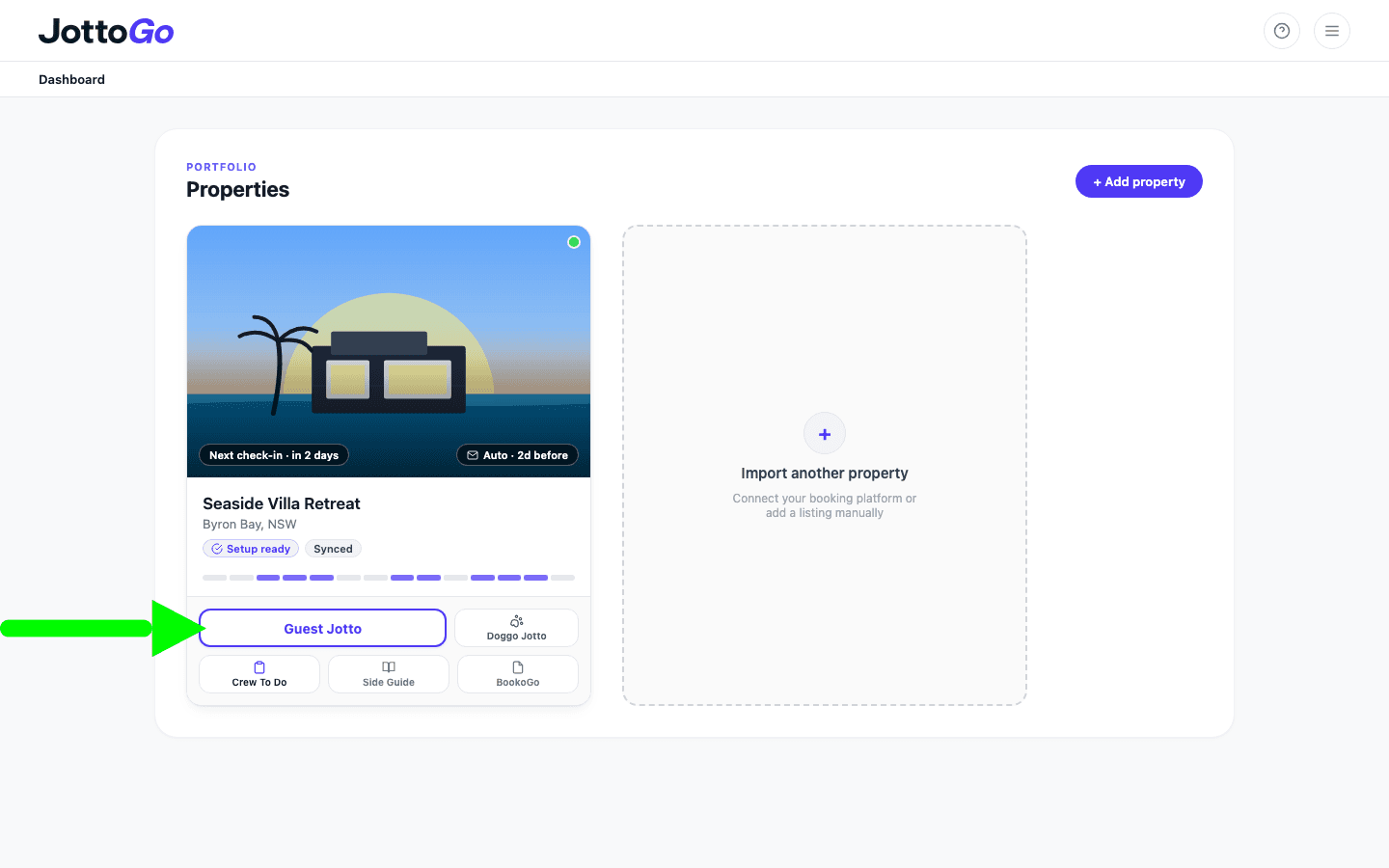
That's it. There is nothing more to finish. Once real arrivals are on the calendar, JottoGo emails you example Arrivals Packs to review, personalized for your actual guests. Your delivery schedule is already prepared, so you and your crew (if set up) receive Jottos automatically for each upcoming booking.
Automatic Setup gets you live immediately. Refine anything later in the Guest Jotto builder.
Create a welcome that feels unmistakably yours.
Set the tone for a warm arrival from the very first line.
Answer common questions before guests need to ask.
Help guests discover your guidebook, local recommendations and extras.
Have each Guest Jotto waiting before your guests arrive.
Deliver every Guest Jotto at just the right moment.
Keep everyone preparing your property on the same page.
Help your team deliver thoughtful touches consistently, every stay.
Build goodwill with guests by welcoming every member of the family.
Once Automatic Setup has prepared your property, JottoGo quietly takes care of the rest.
Each new booking is automatically imported from Lodgify, personalized using your guest’s reservation details and message history, then delivered according to your chosen schedule.
You’re ready to go from day one. As you become familiar with JottoGo, you can continue refining your Guest Jotto with your own branding, connect a printer for automatic printing, personalize Doggo Jotto for four-legged guests, and tailor Crew To Do (your printable prep checklist with guest-specific reminders and your own property tasks) to suit the way your team works.
JottoGo uses booking details and guest messages only to personalize welcome letters. Guest information is retained for the duration of the stay and automatically removed at 11:59 PM on checkout day in the property's timezone, long enough to personalize and deliver, but not kept as a permanent guest database.
Yes. Automatic Setup gets every property started for you, then you can continue refining your Guest Jotto over time with your own branding, welcome, Wi-Fi details, QR codes and other thoughtful touches.
JottoGo looks for details your guests have already shared (celebrations, traveling companions, dietary preferences, and pets) to create a welcome that feels thoughtful and builds goodwill from the moment they arrive.
Guest Jottos help guests feel expected, welcomed and genuinely looked after. Those thoughtful touches build goodwill at arrival, which can make guests more forgiving of small issues and more likely to remember their stay for the right reasons.
Yes. Any confirmed booking imported through Lodgify can generate a Guest Jotto. Personalization improves as guests share more information through Lodgify messages.
Yes. Invite your cleaners or co-hosts to your Crew Portal so they can preview and print Guest Jottos. You can also include Crew To Do, a printable preparation checklist with guest-specific reminders and your own property tasks.
Yes. Add an email-to-print address to your Automation and JottoGo can send each Guest Jotto to your property printer on the schedule you choose.
Each property includes its first 3 issued bookings, with no credit card to start. Previewing a pack does not use them. After that you pay once per booking, with a monthly cap on every property plus applicable tax, so a busy month can’t run away from you. Every feature is included from the first booking, and quiet months cost nothing.
JottoGo imports each Lodgify property separately, including combined and lock-off listings. You can customize each Guest Jotto so it matches the personality and practical details of that property.
Yes. Pause or edit any Automation schedule from your dashboard without disconnecting your booking platform.
No. You connect using your Lodgify API key from Settings → Public API. A Lodgify Marketplace listing may come later once JottoGo reaches 50 connected hosts.